
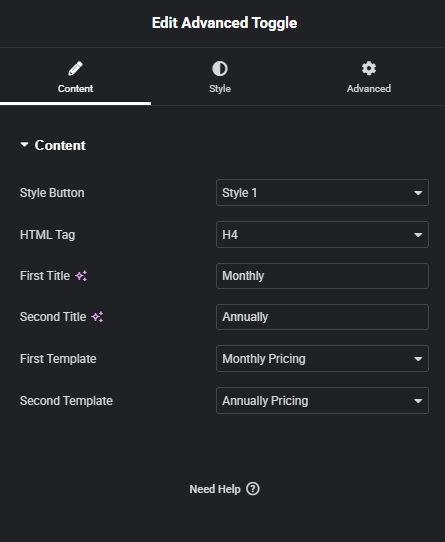
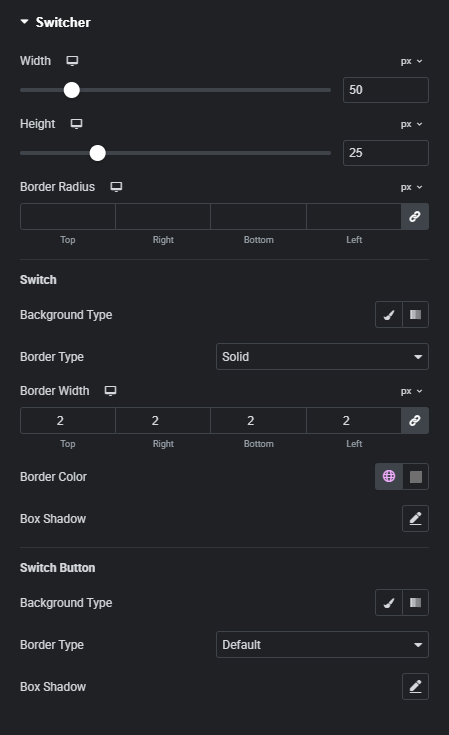
Advanced Toogle Widget (Elementor)

Create Interactive Content with Flexible Toggle Styles

Display content in a clean, organized, and interactive way using advanced toggle functionality—designed to improve user experience and keep visitors engaged.

KEY FEATURES

Demos Examples

Toogle Mode Style 01

A clean and minimal toggle style using a horizontal switch bar, perfect for comparisons, pricing options, or switching between two sets of content. It offers a modern UI feel while keeping interactions simple and intuitive.

Pro Icon

Advanced Toggle is a Premium Widget

Unlock this widget and get access to advanced features to power up your website.

Upgrade to Pro
Demos Examples

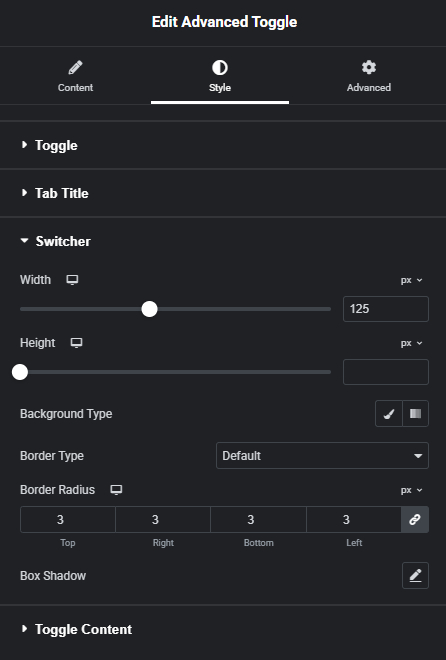
Toogle Mode Style 02

A clean and minimal toggle style using a horizontal switch bar, perfect for comparisons, pricing options, or switching between two sets of content. It offers a modern UI feel while keeping interactions simple and intuitive.

Pro Icon

Advanced Toggle is a Premium Widget

Unlock this widget and get access to advanced features to power up your website.

Upgrade to Pro
Step by Step Tutorial

Master It Quickly with Our Step-by-Step Guide

Follow our step-by-step video tutorial to quickly understand how to use it and get the most out of its features.

Unlock the Full Potential of Elementor — With Just One Powerful Plugin

No more plugin overload. RTMkit brings all your essential tools together under one sleek dashboard.